Selling with delivery by the seller

Selling an item using delivery by the seller on Troc Vélo
Delivery by the seller lets you sell at a distance in complete safety. You choose your own carrier, set your delivery costs and manage the shipping. The buyer's funds are secured with our payment provider Stripe as soon as the offer is accepted: you are certain to be paid before you even ship the parcel.
💡 Good to know: As a private seller, secure payment is completely free. Protection fees are paid by the buyer. Only the shipping costs are paid by you if you do not include them in the listing price.
Prerequisites
1. Enable delivery by the seller on your listing
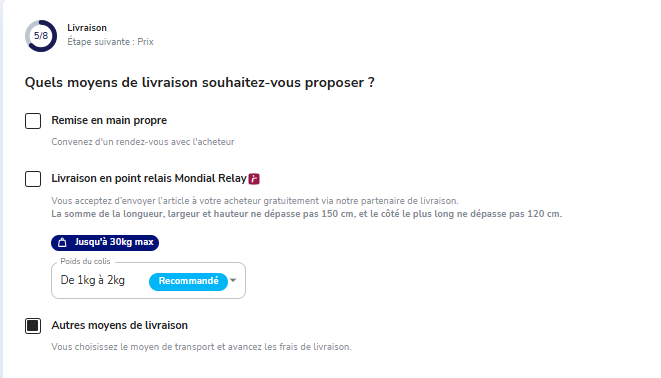
When posting or editing your listing, at the "Estimate your listing" step, select "Delivery by the seller".
2. Enter your delivery costs and zone
Enter the amount of the delivery costs and the geographical area in which you are willing to ship the parcel. These costs will be added automatically to the buyer's basket.
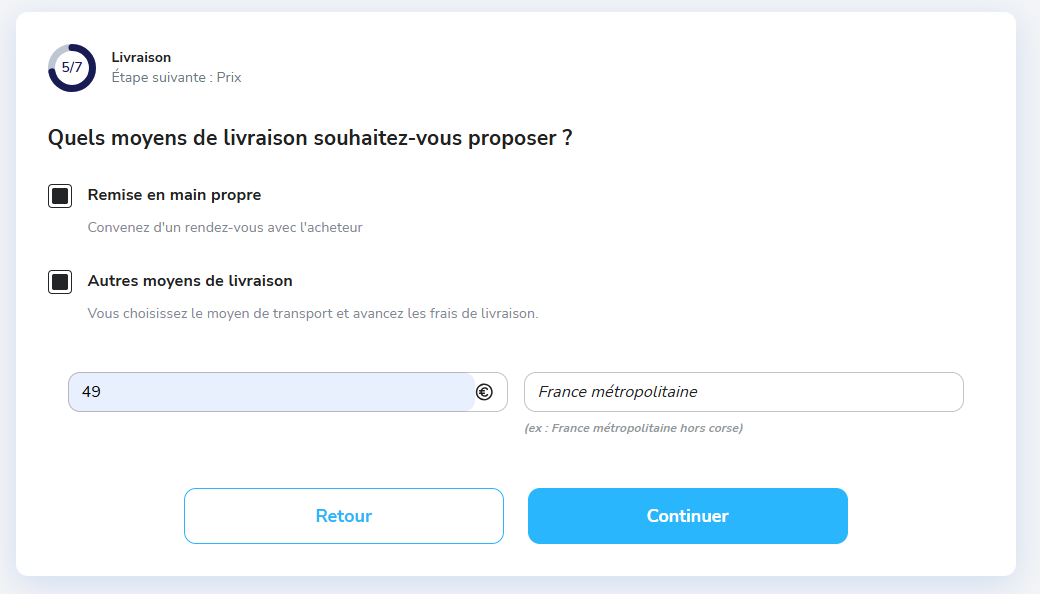
⚠️ It is not possible to enter several rates for several zones. If your costs change, edit your listing via "My account" → "My listings" → "Edit".
The steps of a sale with delivery by the seller
Step 1 — Receive and accept an offer
When a buyer is interested, they submit an offer to you via Troc Vélo messaging. You receive a notification and have 72 hours to accept or decline.
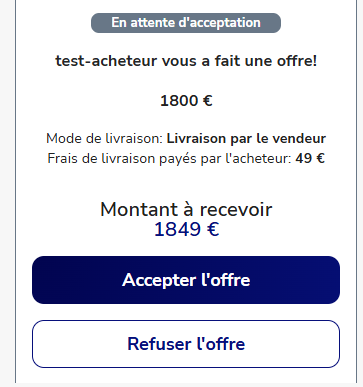
- ✅ If you accept: the total amount is debited from the buyer's account and secured with Stripe. The transaction is started.
- ❌ If you decline or do not reply within 72 hours: the card pre-authorisation is released and the buyer is not charged.
💡 If you want to lower the price following a negotiation, edit your listing's price directly via "My account" → "My listings" → "Edit" → "Estimate your listing".
Step 2 — Pack and ship the parcel
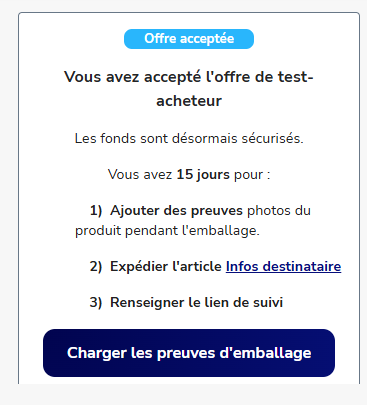
Once the offer is accepted, you have 14 calendar days to:
- Pack the parcel carefully to avoid any damage during transport
- Upload proof of packaging (photos) in Troc Vélo messaging
- Ship the parcel with the carrier of your choice
- Enter the tracking number, the carrier's name and the tracking link in the conversation with the buyer
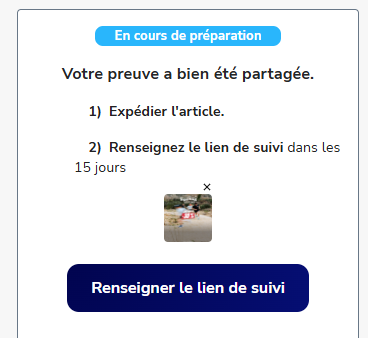
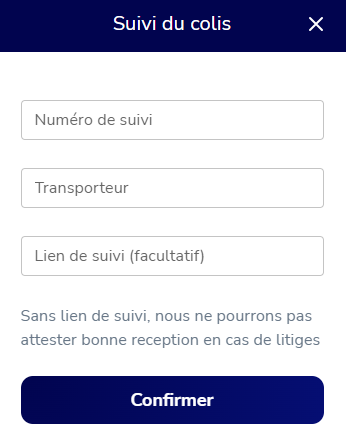
⚠️ If you do not ship within 14 calendar days: the transaction is automatically cancelled and the buyer is refunded within 5 to 10 working days.
💡 Packing tips:
- Protect the item with bubble wrap or foam
- Use a sturdy box suited to the dimensions of the parcel, such as this box
- Check the maximum dimensions and weight accepted by your carrier
- Take out carrier insurance for valuable items
Step 3 — Track the parcel's journey
The buyer is kept informed of the transit progress via Troc Vélo messaging and by email. For your part, you can track the parcel with the tracking number provided by your carrier.
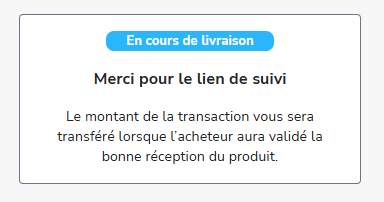
Step 4 — The buyer confirms receipt
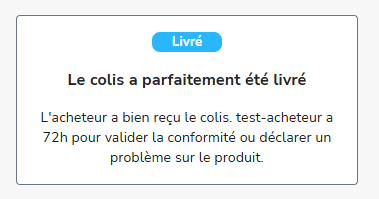
On receipt, the buyer has 72 hours to check that the item is as described and confirm the transaction.
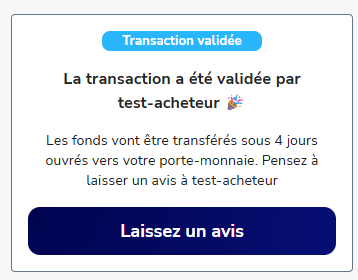
- ✅ If the buyer confirms: the funds are sent to your Troc Vélo wallet.
- ⏱️ If the buyer takes no action within 72 hours after the "Delivered" status: the item is automatically confirmed as compliant and the funds are sent to you.
- ❌ If the buyer opens a dispute: our team steps in to analyse the situation.
📸 [Screenshot: buyer confirmation notification and credited wallet]
⚠️ There is no going back once the funds have been sent to your wallet. This transfer is final.
Step 5 — Collect your funds
The funds appear in your Troc Vélo wallet. To transfer them to your bank account, go to "My account" → "My wallet".
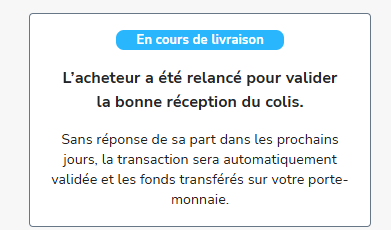
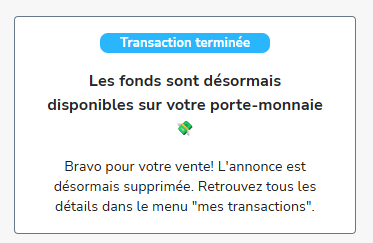
⚠️ For regulatory reasons, the funds are held for 3 to 4 working days before they can be transferred to your bank account.
These articles may also help you:
- Find out how to sell your item.
- How do I sell an item with in-person handover on Troc Vélo?
- What is delivery by the seller on Troc Vélo?
- What is secure payment on Troc Vélo?
- Why offer delivery through Troc Vélo secure payment?
- Why is there no "Buy" button on the listing I'm interested in?
- How do I enter the delivery costs on my Troc Vélo listing?
- I have a problem with an item bought on Troc Vélo with delivery by the seller: what should I do?
- When and how do I cancel a secure transaction with delivery by the seller?
Find us on the Google Play Store and the Apple Store

|

|